
Installation Of CDN Plugin
- Login to the Wordpress Admin Panel.
- Navigate to Plugin page then click on Add New.
- Insert W3 Total Cache into the search field.
- Install W3 Total Cache and activate it.
Migrate Contents to CDN
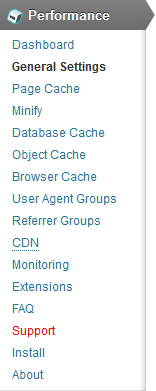
- Open the Settings page of the CDN plugin from the Plugin page. Also accessible from General Settings underneath Performance.
- Under General Settings page, scroll down to CDN, tick to enable and choose CDN Type as Generic Mirror.

- Save changes.
- Select CDN from the menu underneath Performance.

- Insert the CDN URL into Replace site's hostname with.

- Save changes.


